Core Features
Designing a learning system around how students actually study
Flowstate
Industry
Ed-Tech
Role
Product Designer
UX Researcher
TEAM
Kaushik Shaw
Revanth Killamsetti
Timeline
5 Weeks
Overview
Students today use multiple tools to manage lectures, notes, resources, and revision. Despite having access to advanced note-taking and AI tools, many still struggle during exams, not because they lack content, but because they can’t retrieve the right information at the right time.
This project explores how a learning platform can better support exam preparation and knowledge recall for university students.
Problem
As the broader theme was productivity,
we narrowed the scope to:
Note-taking, learning, and AI-assisted study workflows for university students
This space felt promising because:

Students increasingly rely on digital tools

AI is widely used for understanding concepts

Existing tools still fail during high-pressure exam contexts

Stressful exam preparation

Scattered, hard-to-find materials

Time-consuming digitization
Short on time?
Jump straight to the final product and key features.
Research & Insights
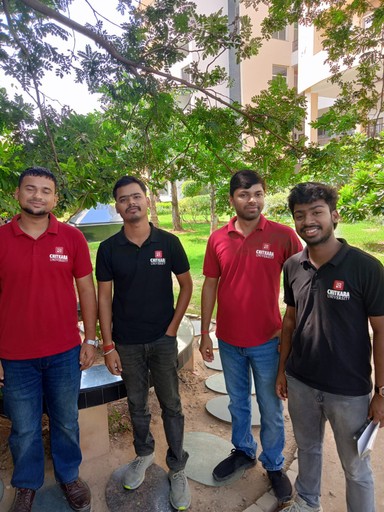
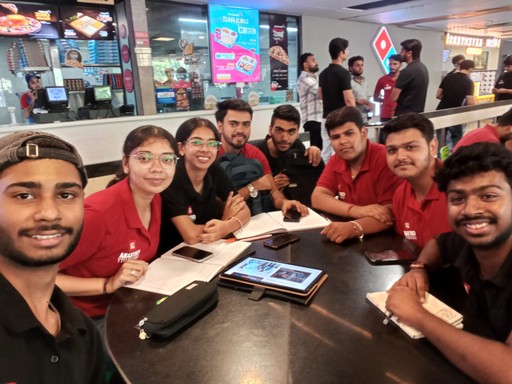
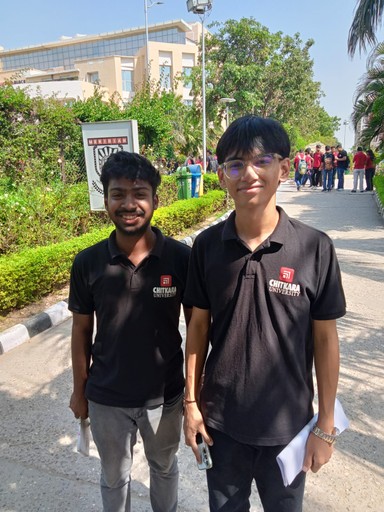
We conducted informal interviews with students from multiple academic branches, focusing on:
How they take notes
How they revise before exams
How they use AI tools while studying
Key Insights
During synthesizing all the collected data, we found a consistent pattern:
1. Notes exist, but can’t be found
2. Memory-based shortcuts are common
3. AI explains concepts, but outputs disappear
Competitive Analysis
The goal of the competitive analysis was to study distinct learning models that students already rely on
Notion

Evernote
Genio
Recall
NotebookLM
We audited 5 popular note-taking and learning platforms to understand:
Core UX flows
Task flows for studying and revision
Common vs differentiating features
KEY OBSERVATION:
Most tools optimize heavily for note creation, but poorly support retrieval, revision, and reuse of information.
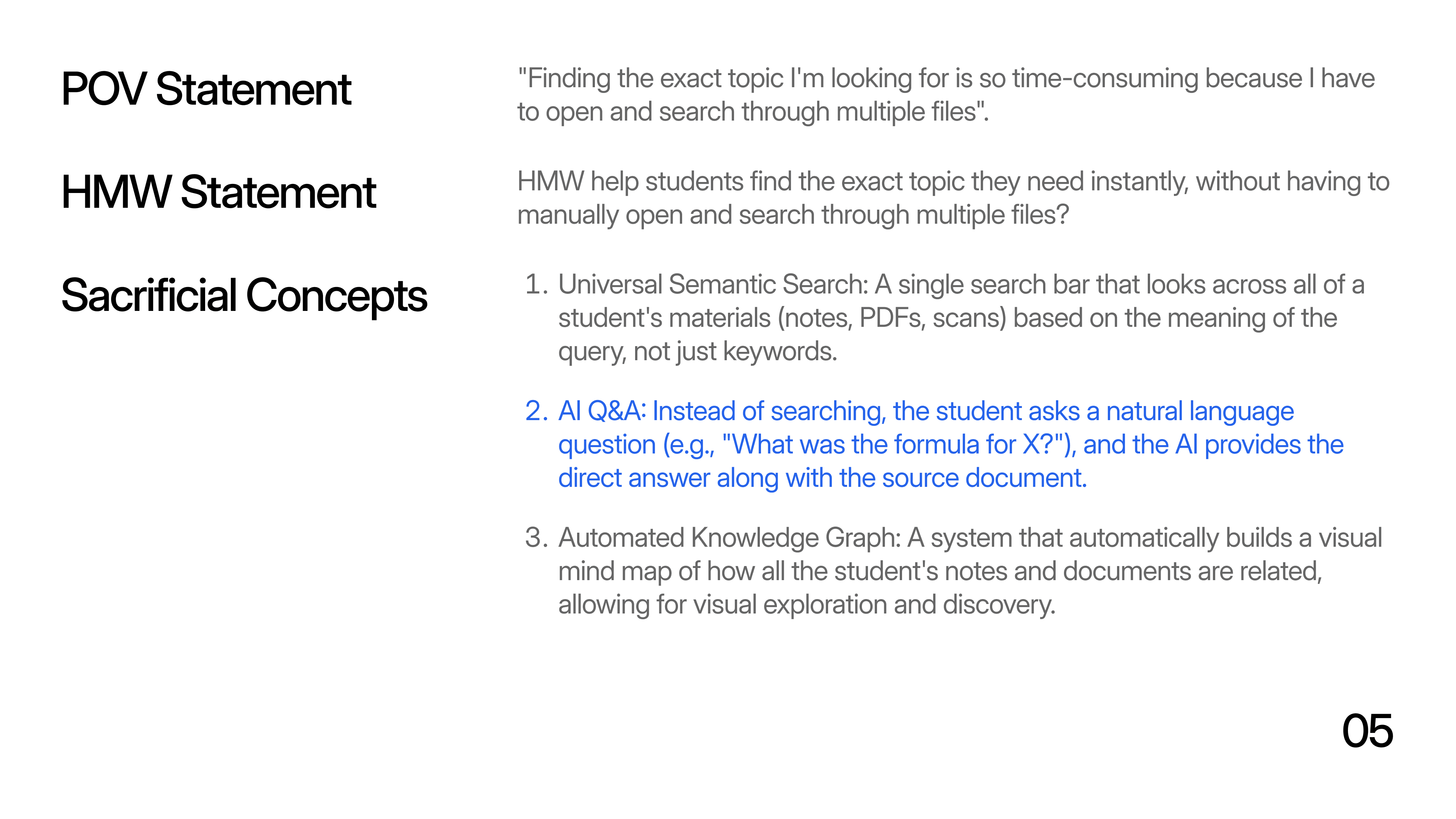
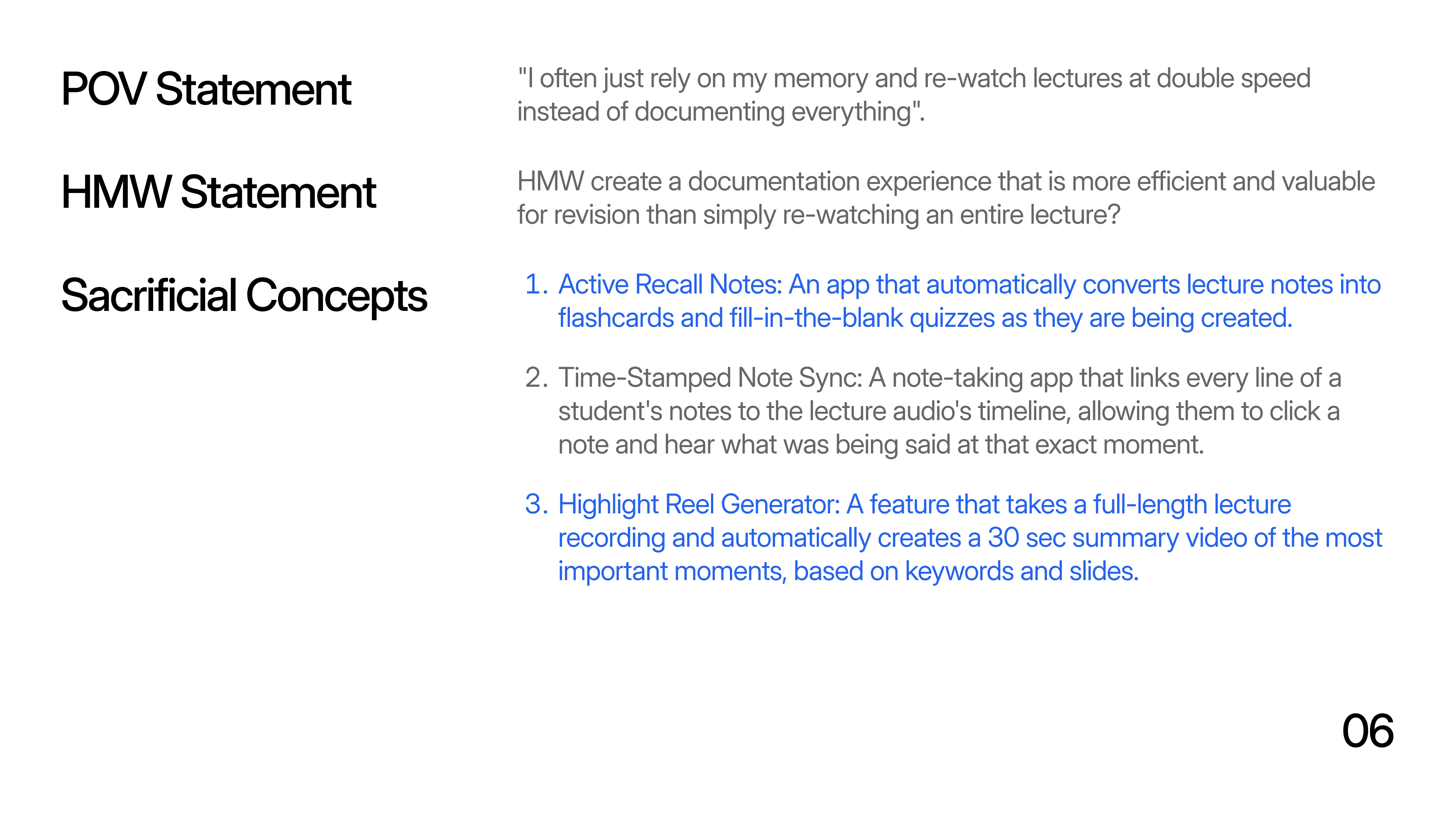
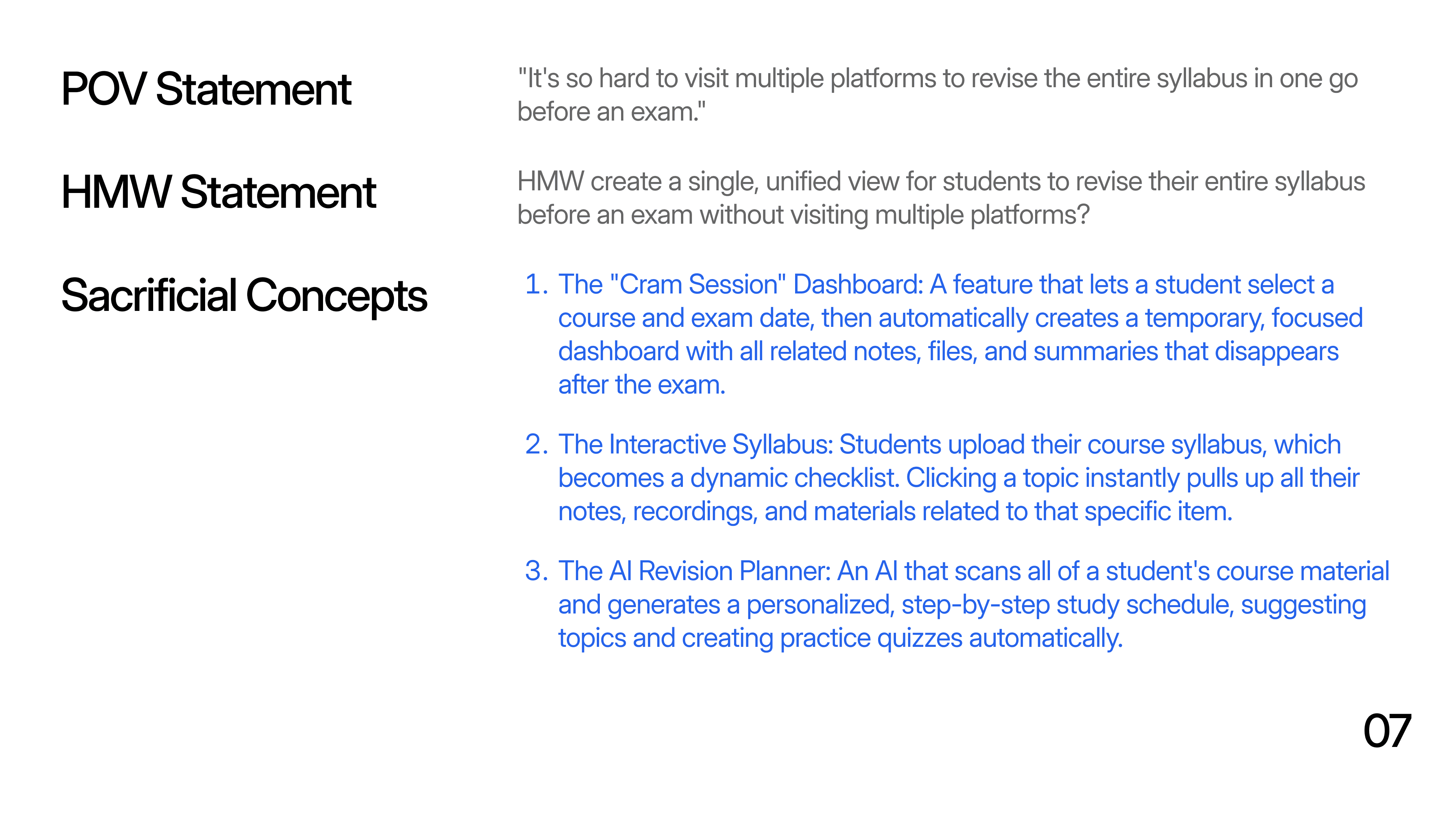
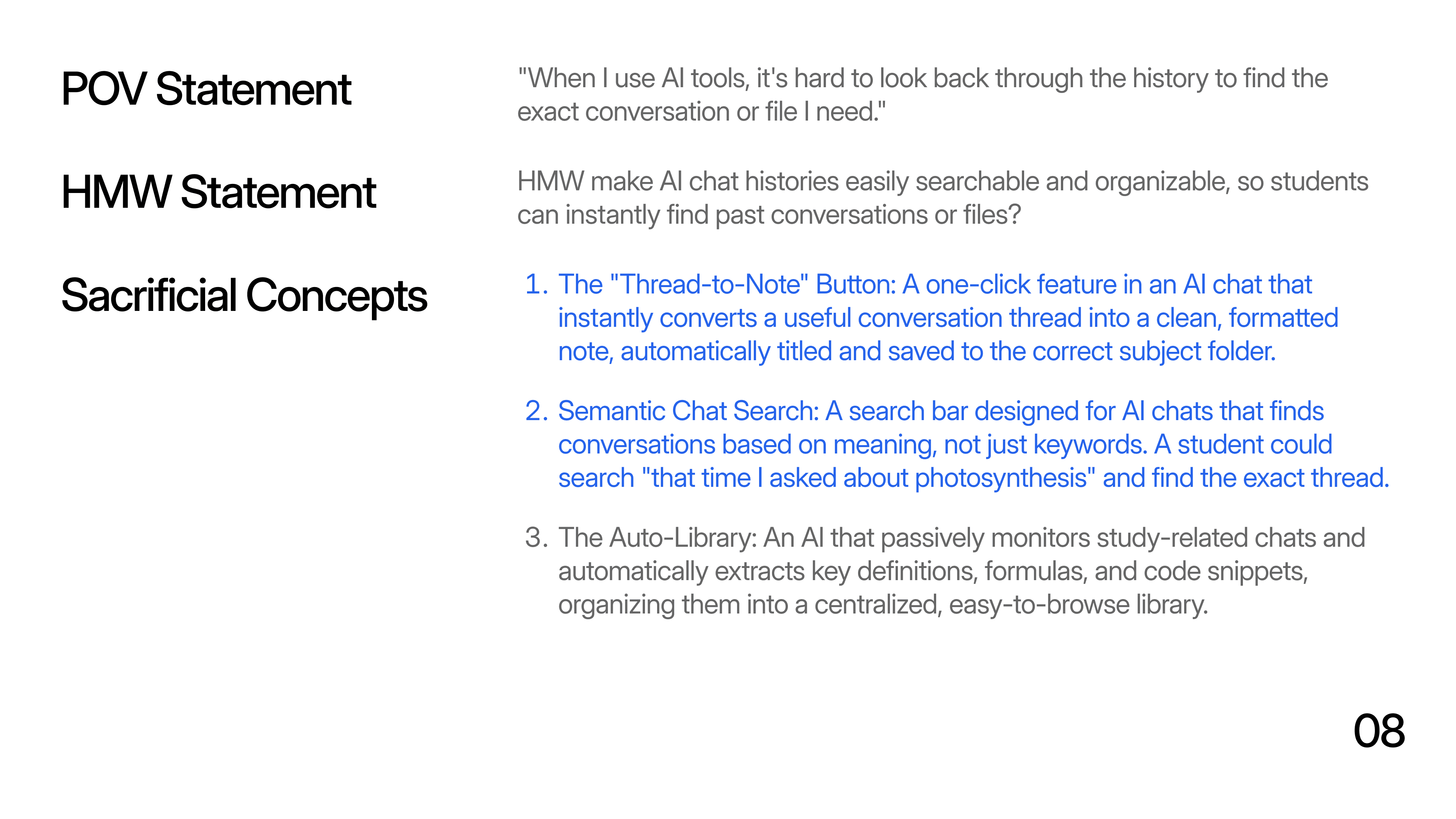
From Insights to POVs & HMWs
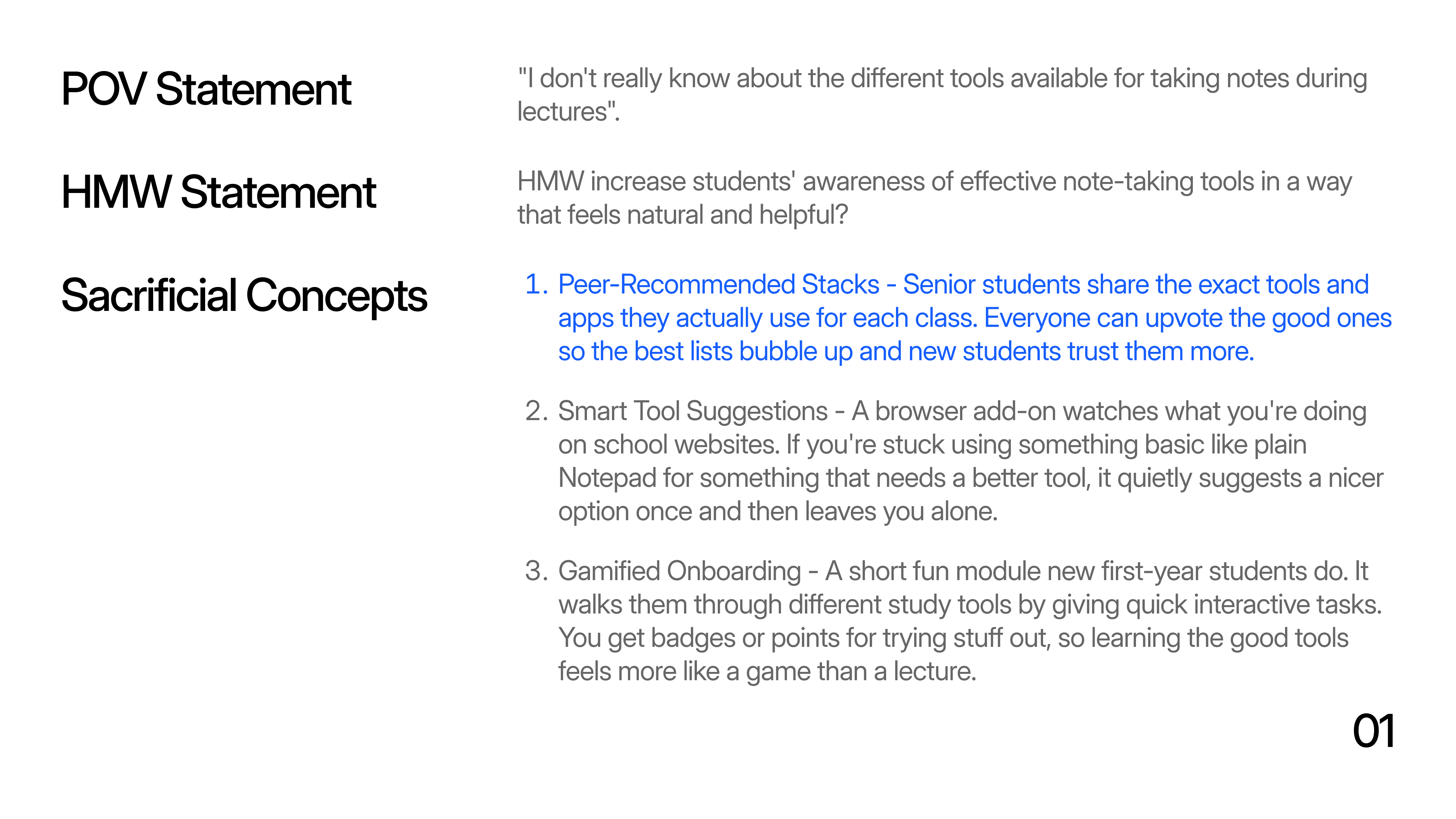
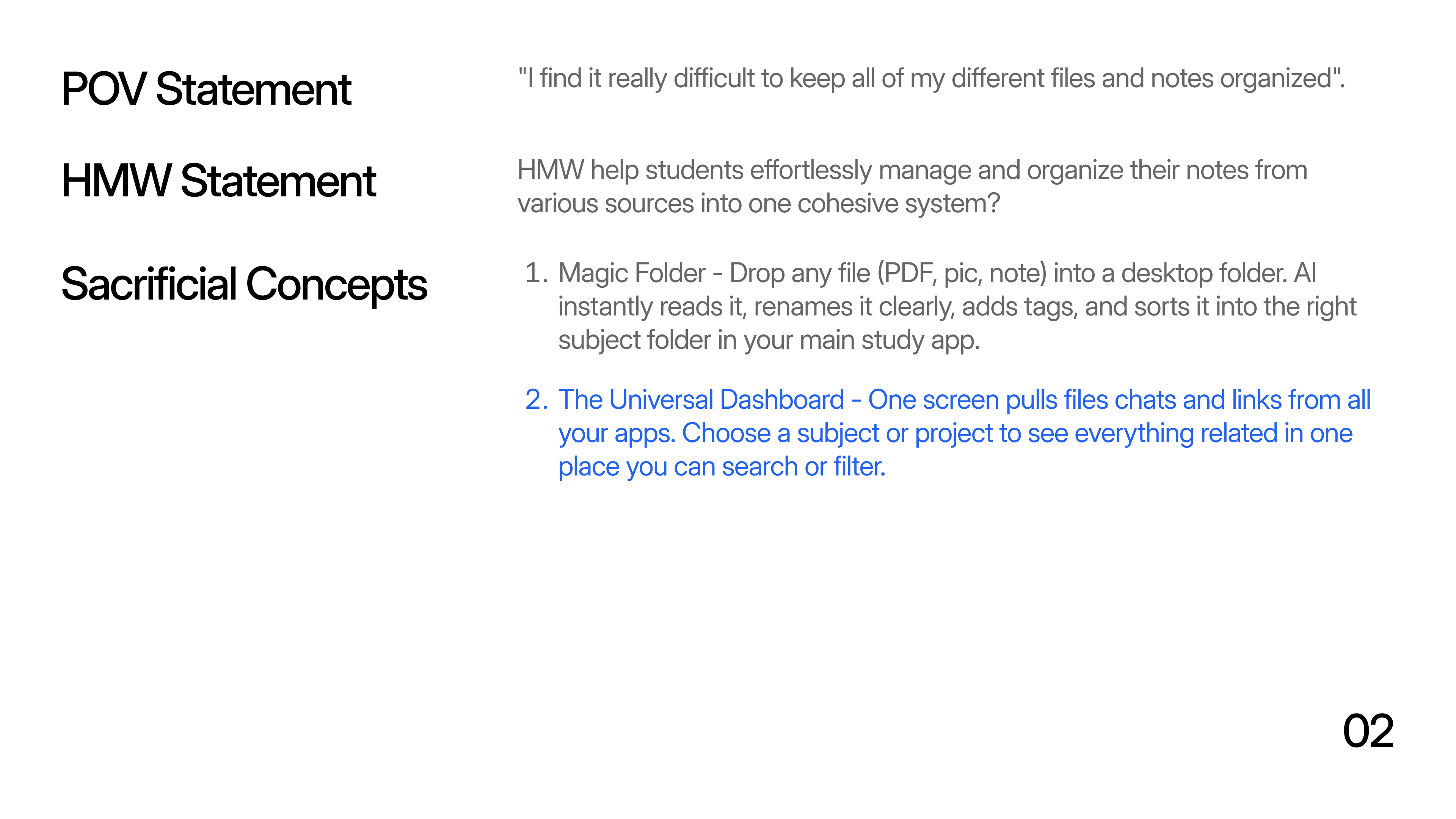
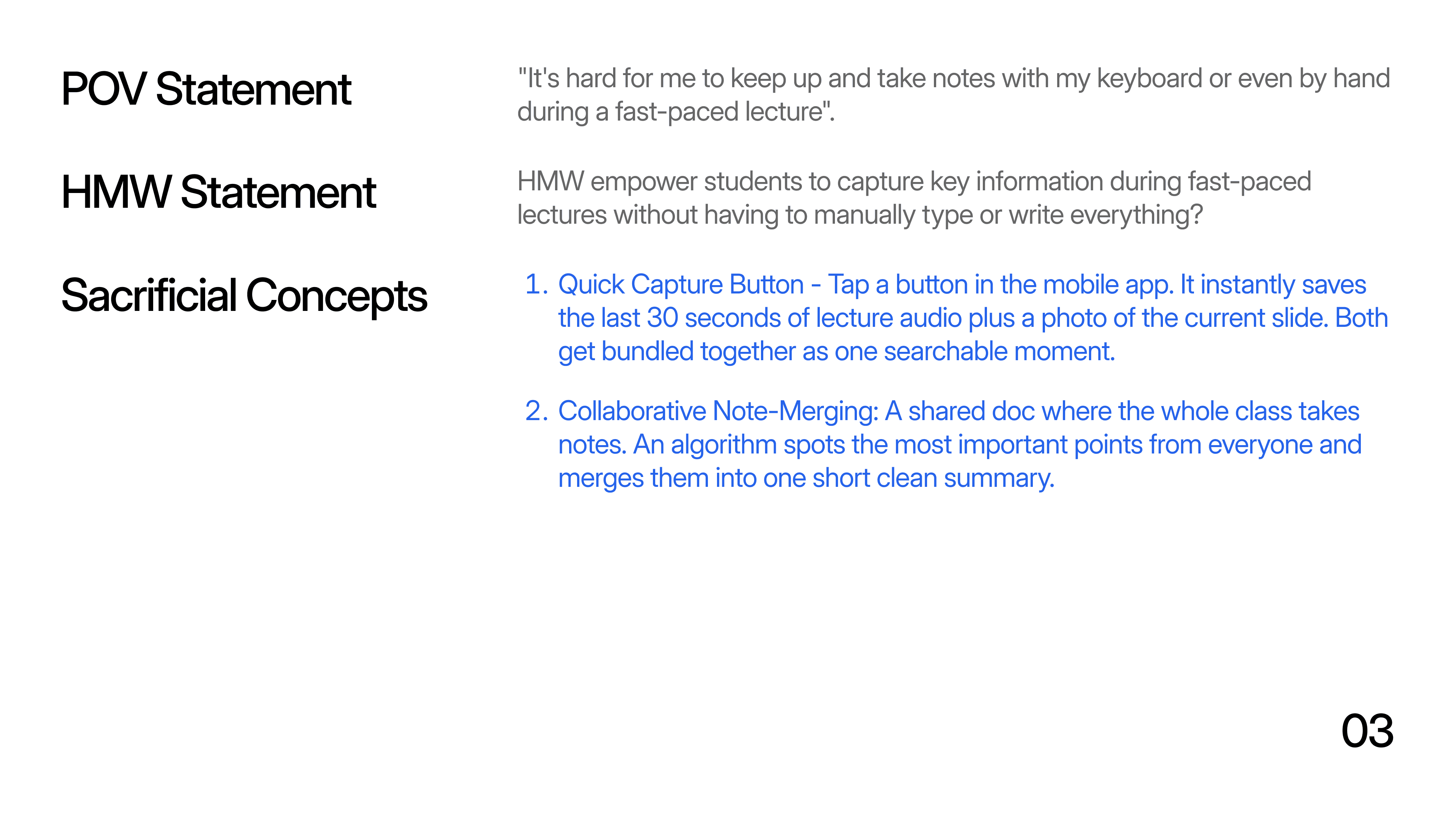
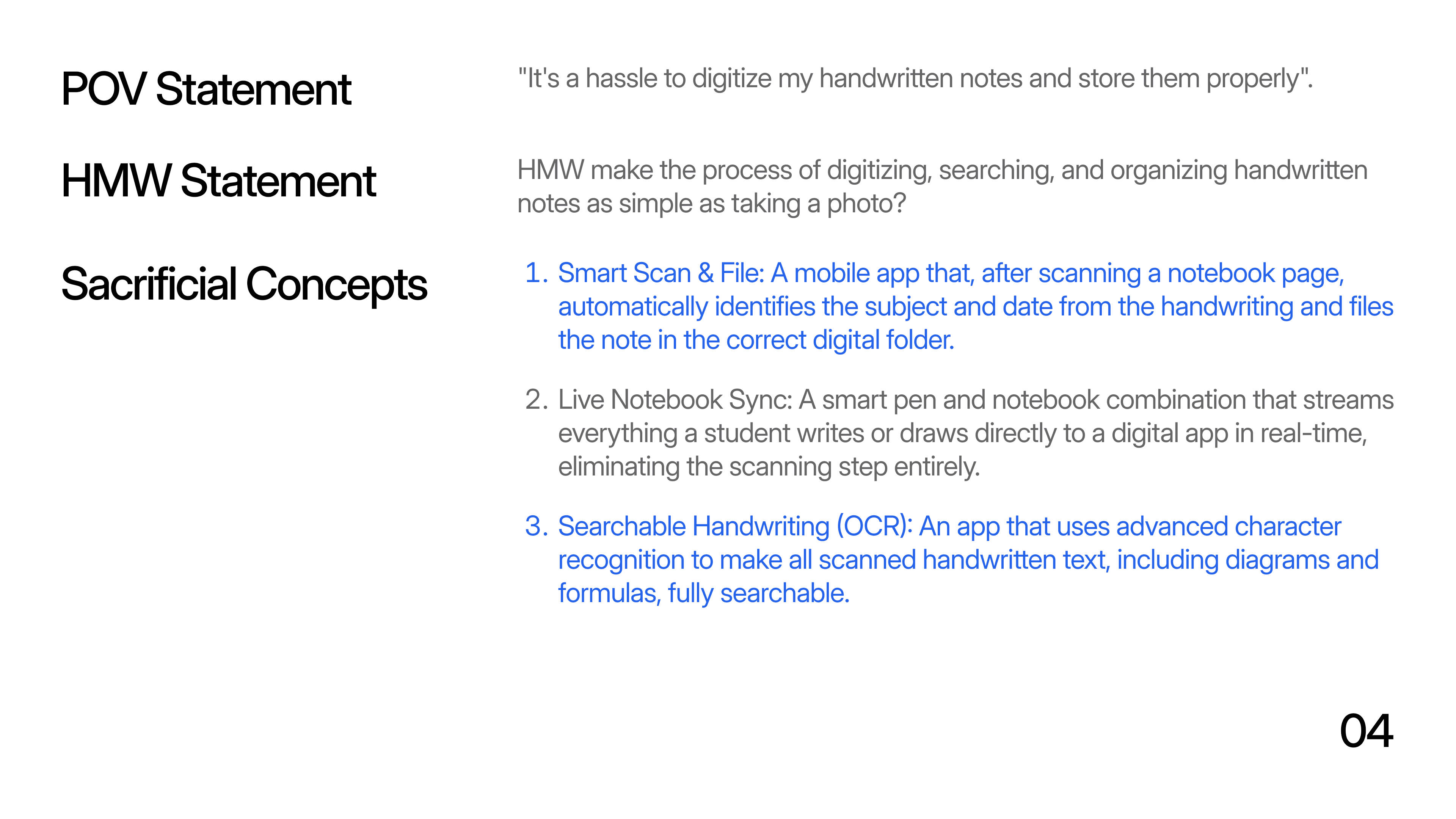
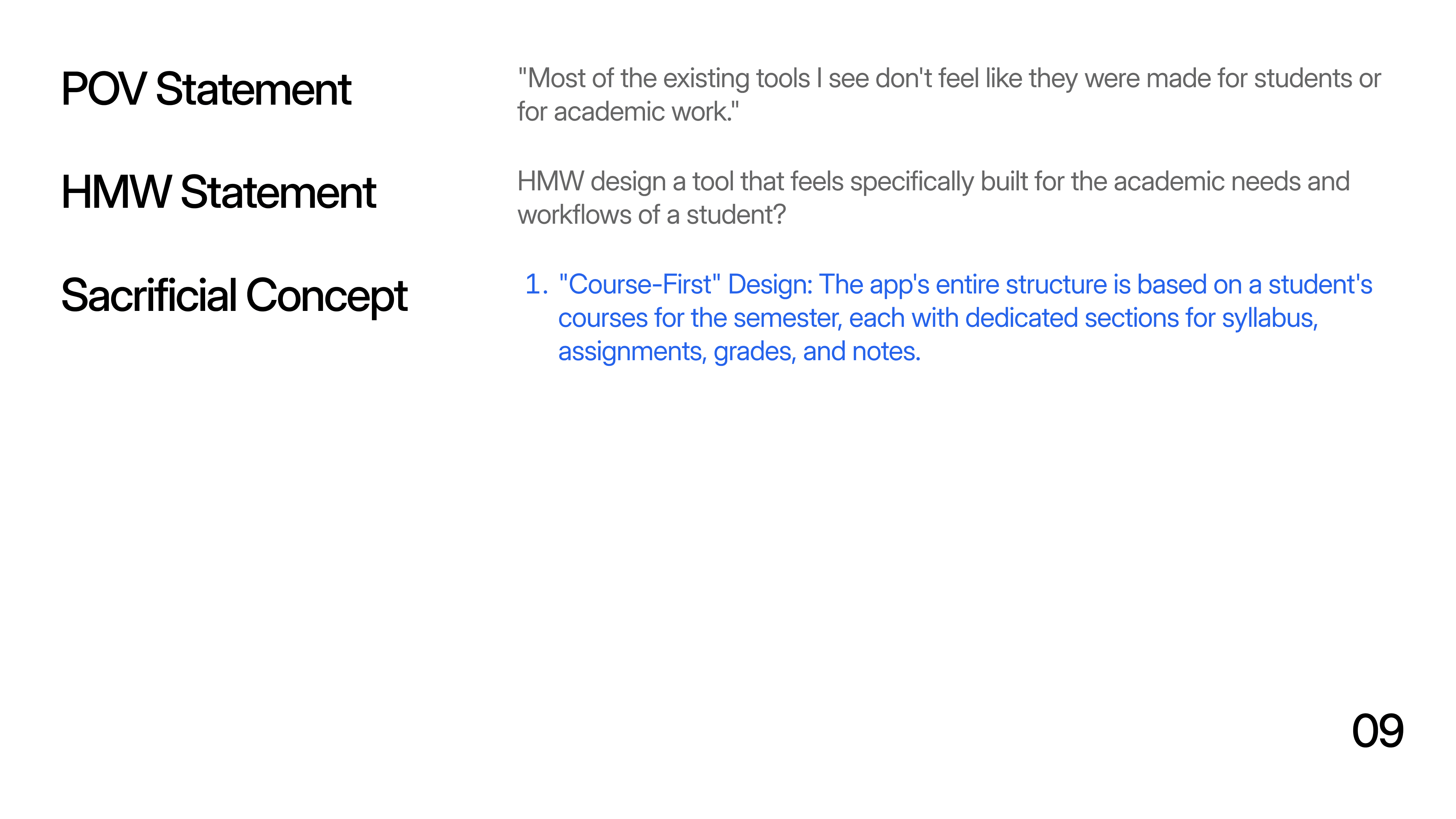
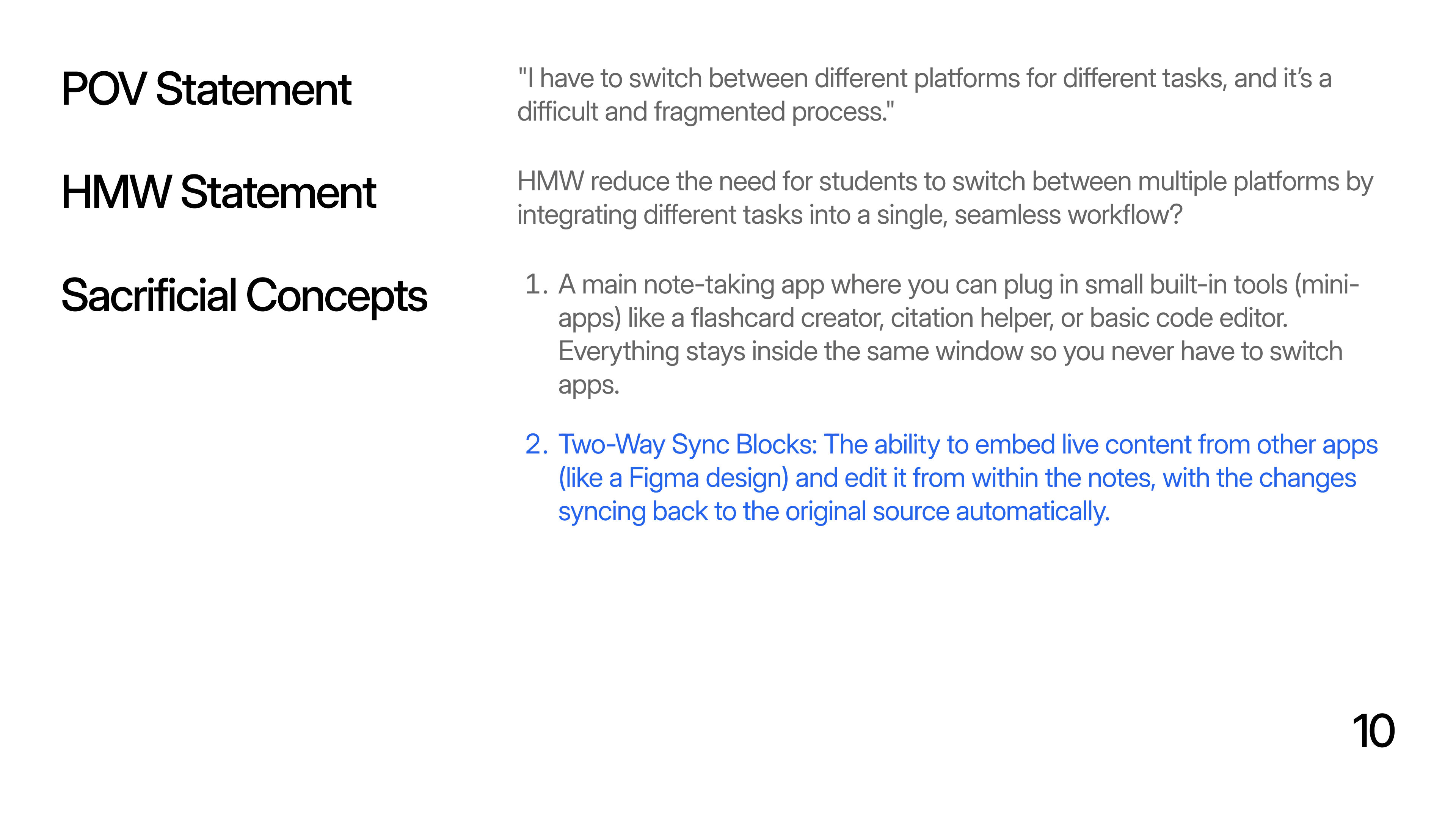
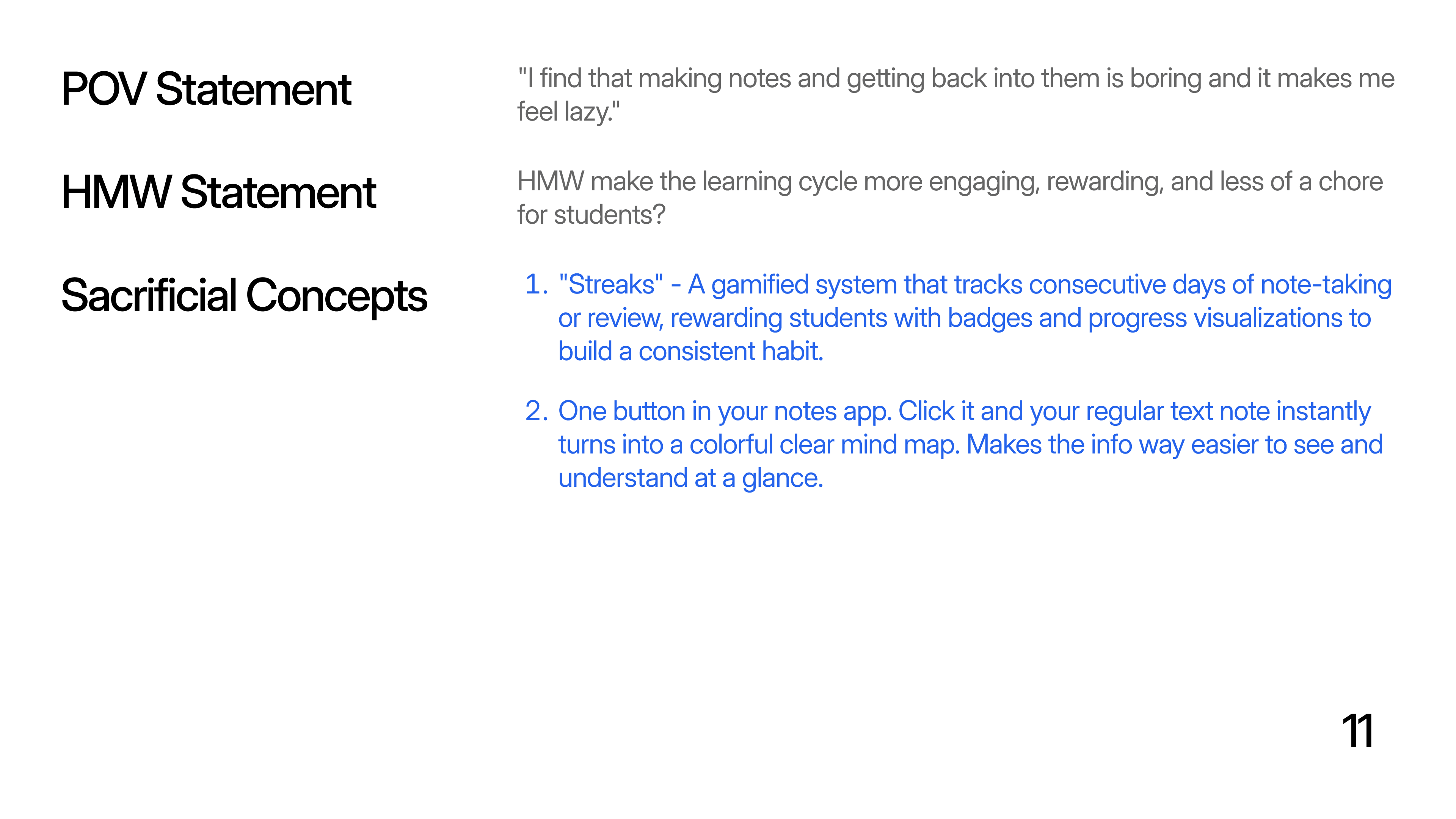
To avoid jumping directly into solutions, we translated insights into multiple Point-of-View statements, each representing a different opportunity area.
Each POV was then converted into How Might We (HMW) questions to enable structured, solution-agnostic ideation.
Thematic Clustering
Ideas were explored through real student scenarios to ground features in authentic learning contexts.
Real Study Scenarios:
Revising before an exam
Searching for a specific question
Switching devices
Revisiting AI explanations later
Feature Strategy (Using DVF Framework)
Features were selected using the Desirability–Viability–Feasibility (DVF) lens, ensuring each one:
Solved a real student problem
Fit academic workflows
Strengthened the overall system
Rather than designing isolated features, the focus was on creating a connected learning system aligned with how students naturally learn.
Introducing Flowstate
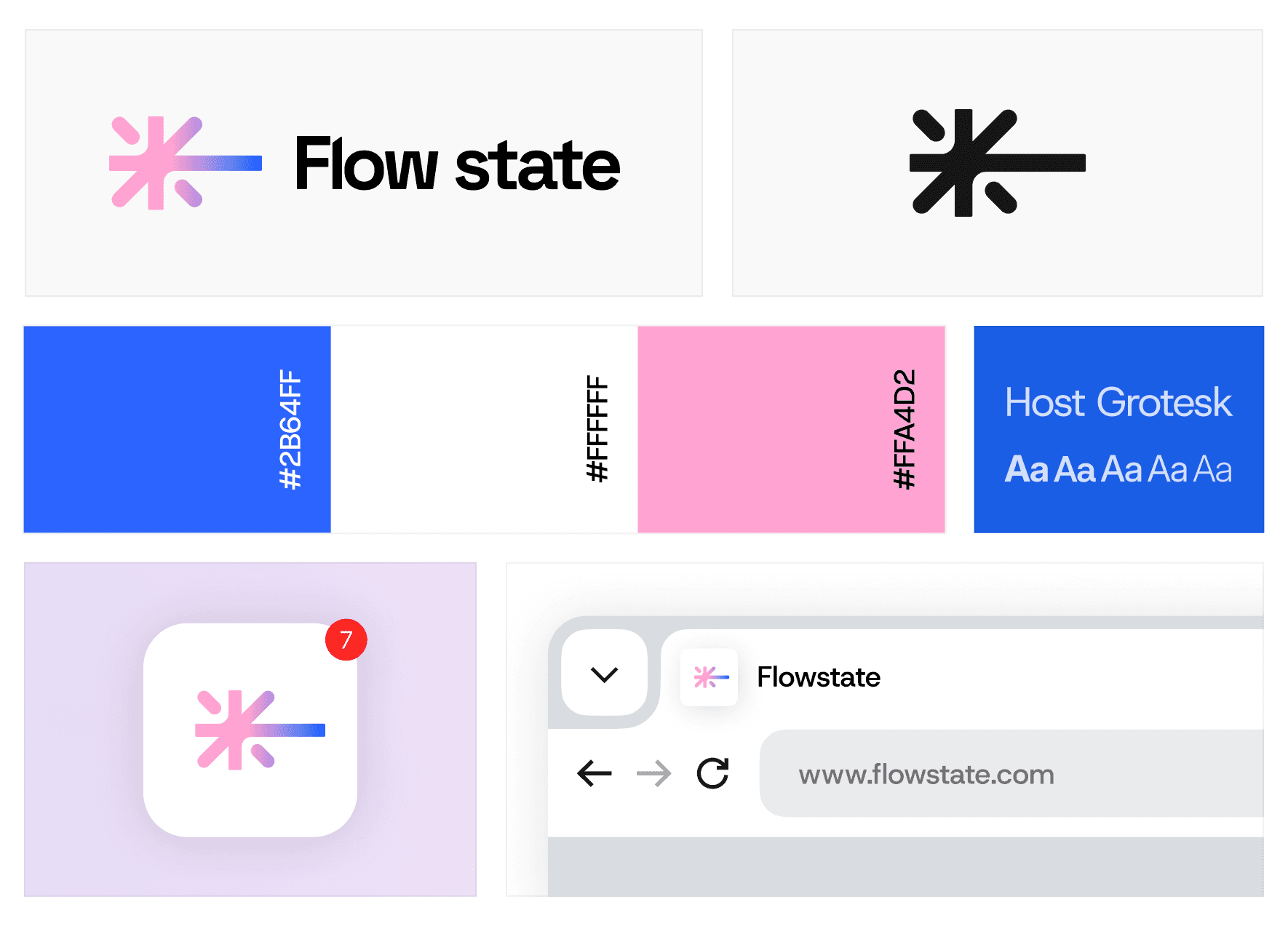
Flowstate is a student-centric learning platform designed to help students capture, connect, and recall knowledge over time.
Core Features
FEATURE 01
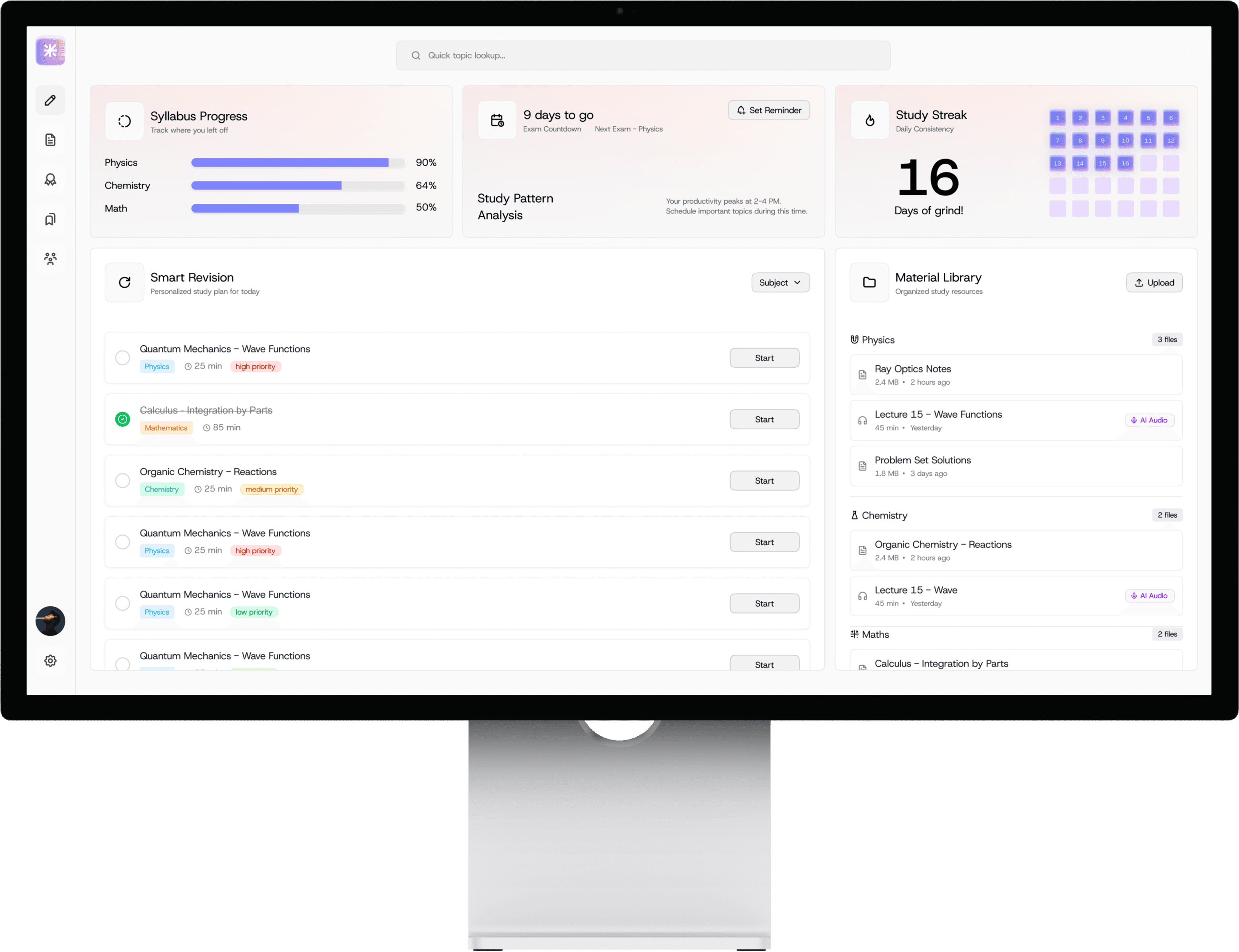
Reflection / Smart Revision Dashboard
Primary entry point answering: "What should I focus on right now?"
Screen Intent
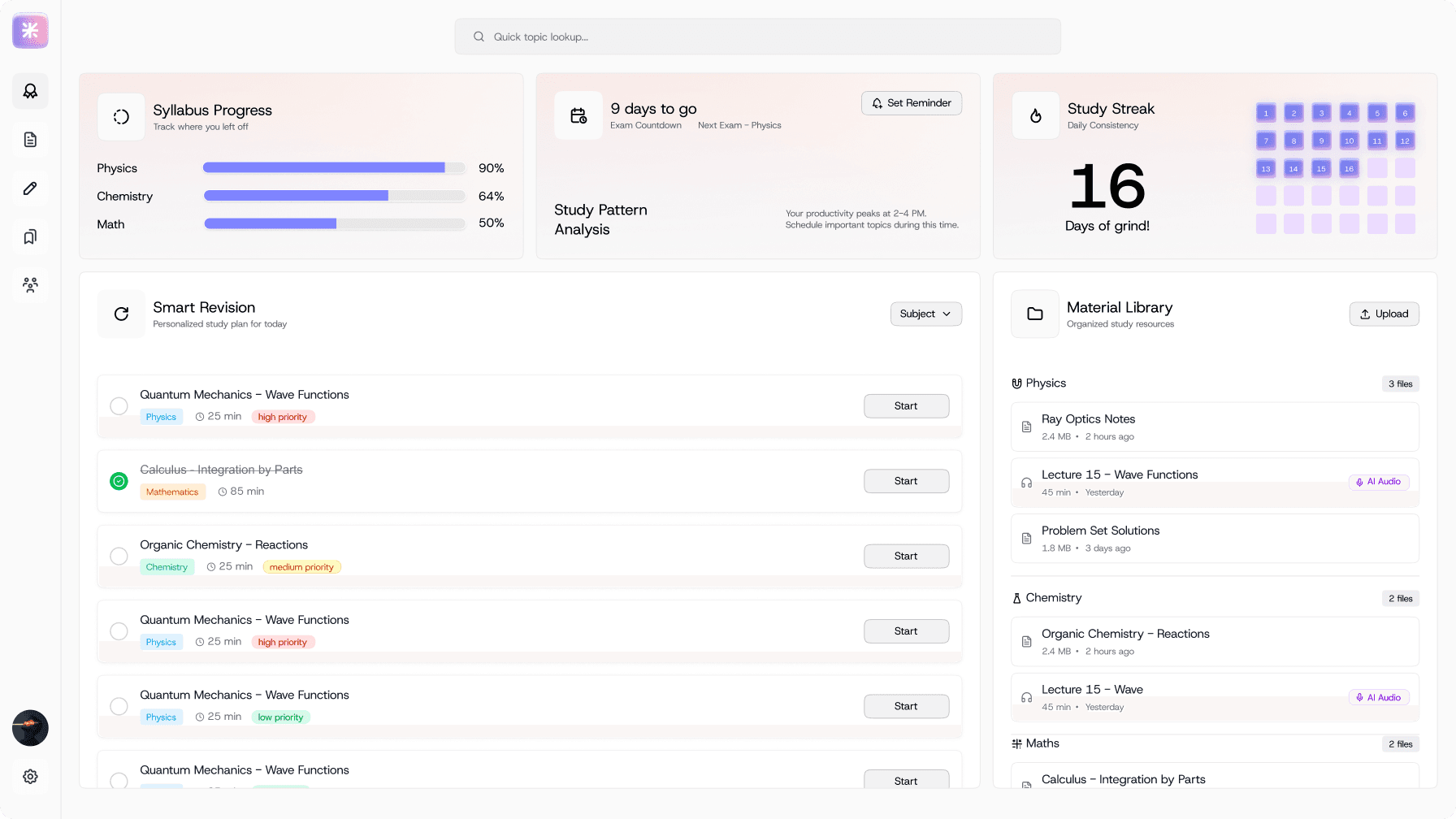
This screen acts as the primary entry point for existing users and is designed to answer one question immediately: "What should I focus on right now?"
Primary User Goals
• Quickly understand exam readiness
• Identify high-priority topics
• Start revision without planning overhead
Key Design Decisions
1. Exam-centric hierarchy (not content-centric)
Countdown to the next exam, syllabus progress, and study streak are placed at the top. This reflects research showing that exam pressure drives tool usage, not curiosity.
Why: Students open learning tools to prepare, not to browse content.
2. "Smart Revision" as the central action
Revision tasks are prioritized over raw resources. Each task includes subject, time estimate, and priority.
Why: Reduces decision fatigue and supports question-driven workflows identified in research.
3. Side-loaded Material Library
Resources are visible but secondary. Keeps focus on action (revision) rather than accumulation (files).
FEATURE 02
Course & Semester Overview
Course-centric organization providing a mental map of the semester
Screen Intent
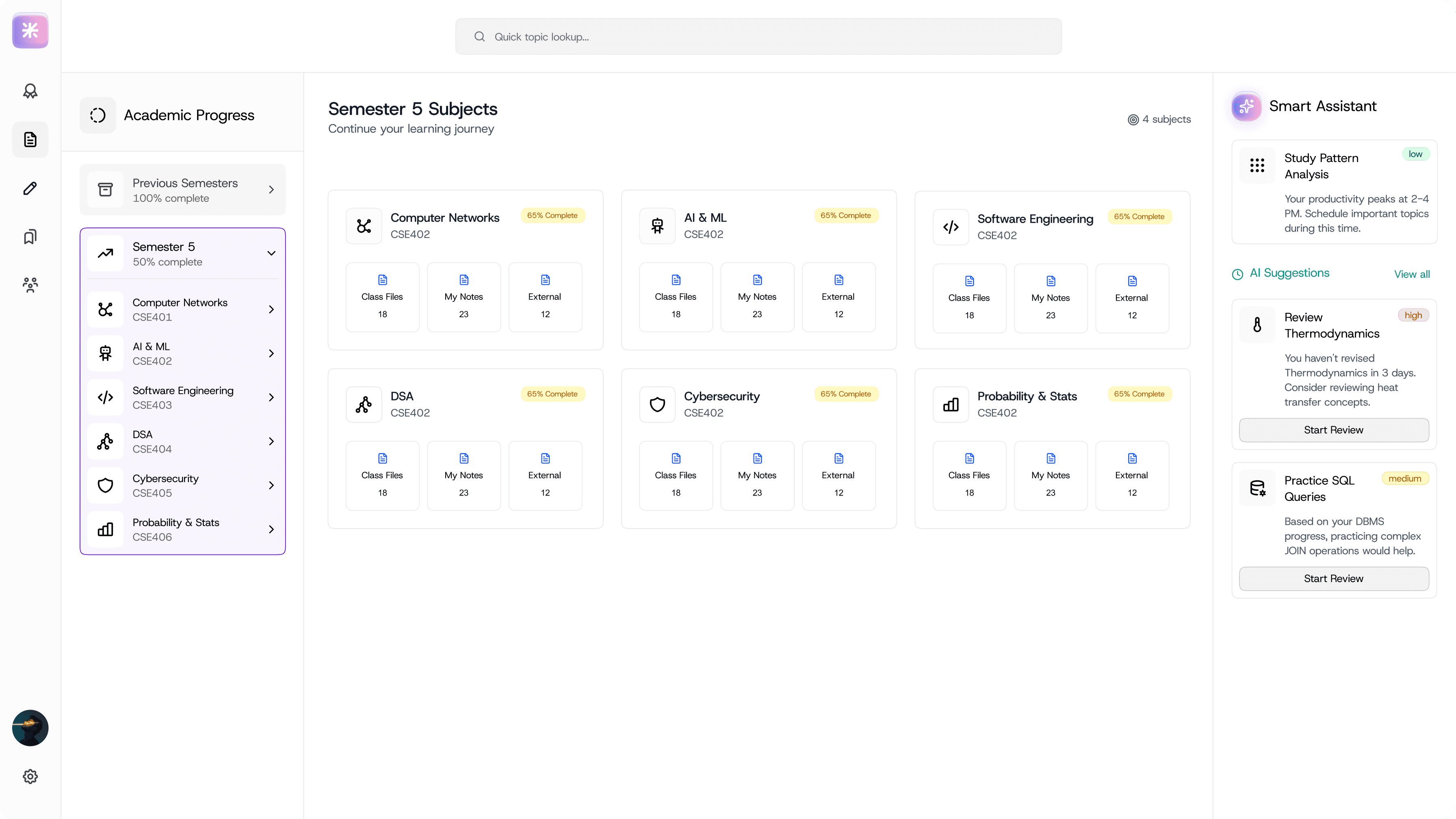
Provide a mental map of the semester, helping students orient themselves academically.
Primary User Goals
• Understand progress across subjects
• Enter a course-specific learning context
• Access materials without searching
Key Design Decisions
1. Course-first organization (not folders)
Subjects are the primary unit. Files are secondary and nested within courses.
Why: Research showed students think in terms of "what subject am I studying?", not "where did I save this file?"
2. Equal weight to Class Files, Notes, and External Content
Avoids bias toward institution-provided material. Reflects real student behavior of learning from multiple sources.
3. AI Assistant as a contextual guide
AI suggestions relate to the selected semester and subjects.
Why: Keeps AI relevant and prevents it from feeling like a generic chatbot.
FEATURE 03
Note-Taking with AI Study Assistant
The processing layer where understanding is built, not just recorded
Screen Intent
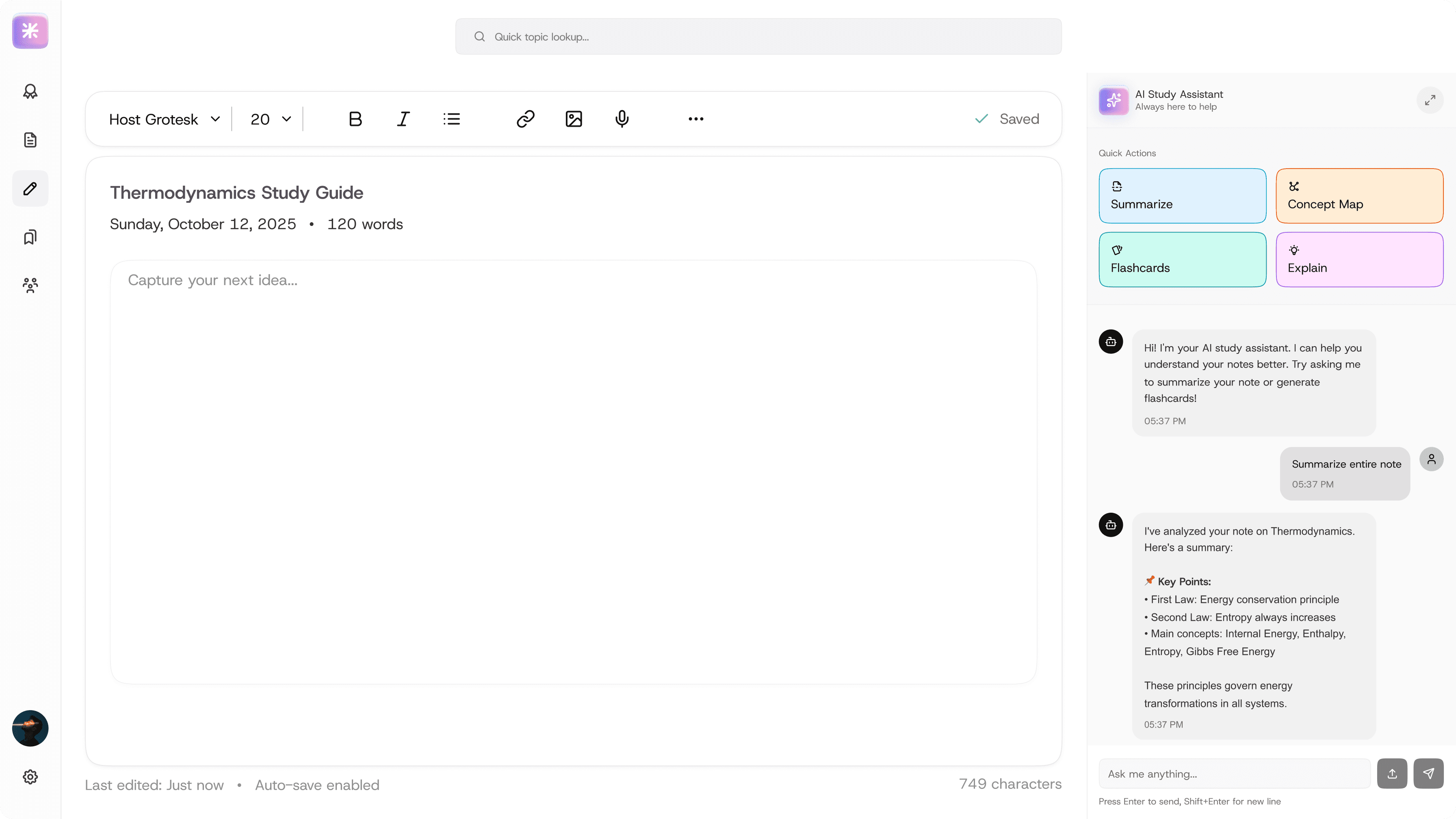
focused note-taking workspace enhanced with contextual AI tools to support deeper understanding without disrupting flow.
Primary User Goals
• Capture notes efficiently
• Clarify concepts in real time
• Convert notes into revision assets
Key Design Decisions
1. AI as a side-panel, not a modal or separate page
Keeps the user in context. Prevents AI outputs from getting lost.
Why: Research showed AI explanations often disappear in chat histories and are never reused.
2. Action-based AI prompts (Summarize, Explain, Flashcards)
Reduces prompt-writing effort. Encourages structured learning outputs.
3. Clean, distraction-free editor
Formatting is minimal. Focus is on cognitive processing, not aesthetics.
FEATURE 04
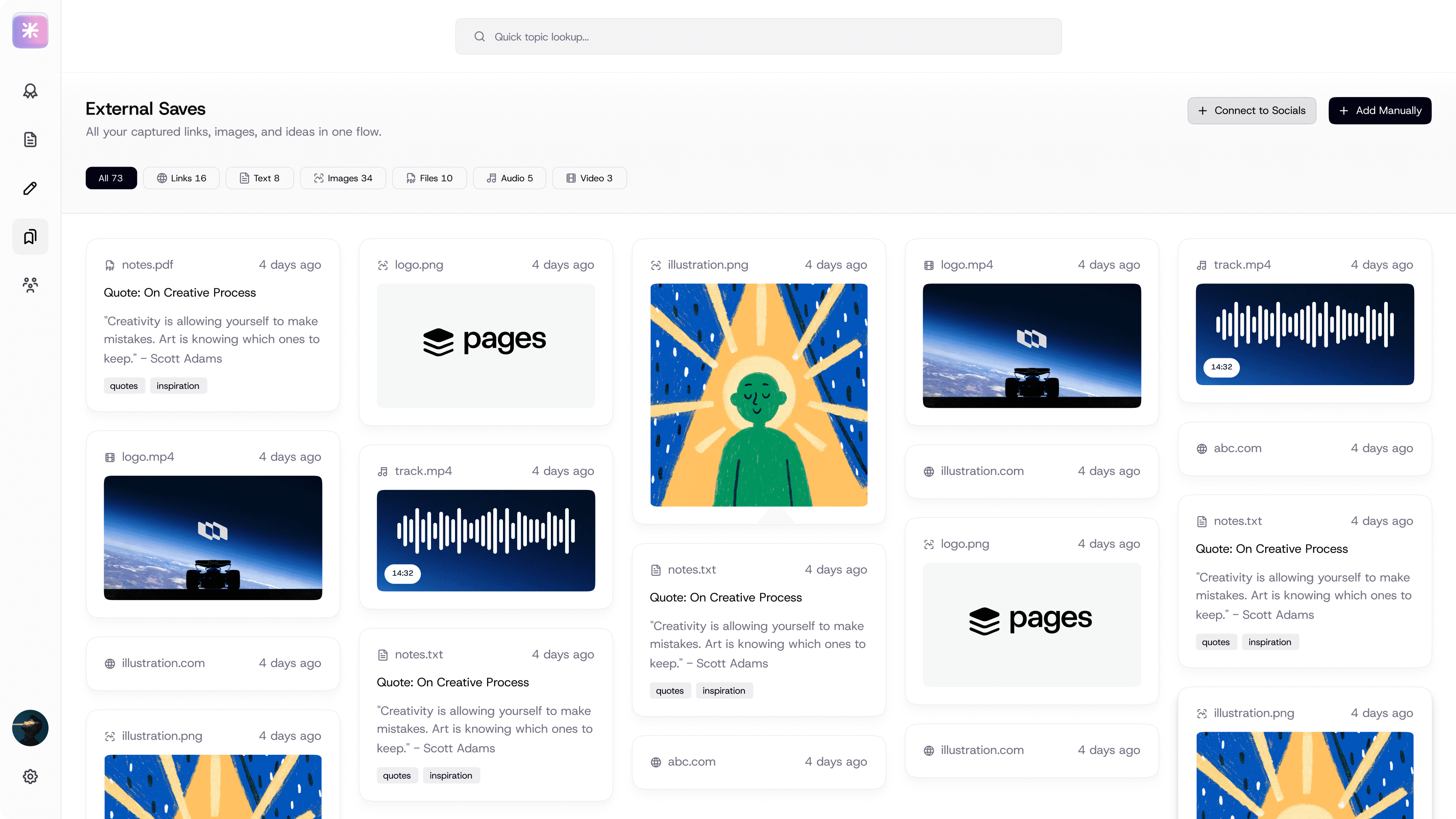
External Deep Dive / Saves
Knowledge intake layer for capturing external learning
Screen Intent
Capture external learning and bring it into the core study system.
Primary User Goals
• Save useful content from the web
• Revisit it later in an academic context
• Avoid losing information across platforms
Key Design Decisions
1. Content-type based filtering
Links, text, images, videos, audio are separated.
Why: Supports quick scanning and retrieval instead of chronological clutter.
2. Visual card layout
Enables fast recognition over reading. Matches how users recall external content ("that image", "that video").
3. Integration-first mindset
Designed to work via a browser extension. Reduces context switching.
FEATURE 05
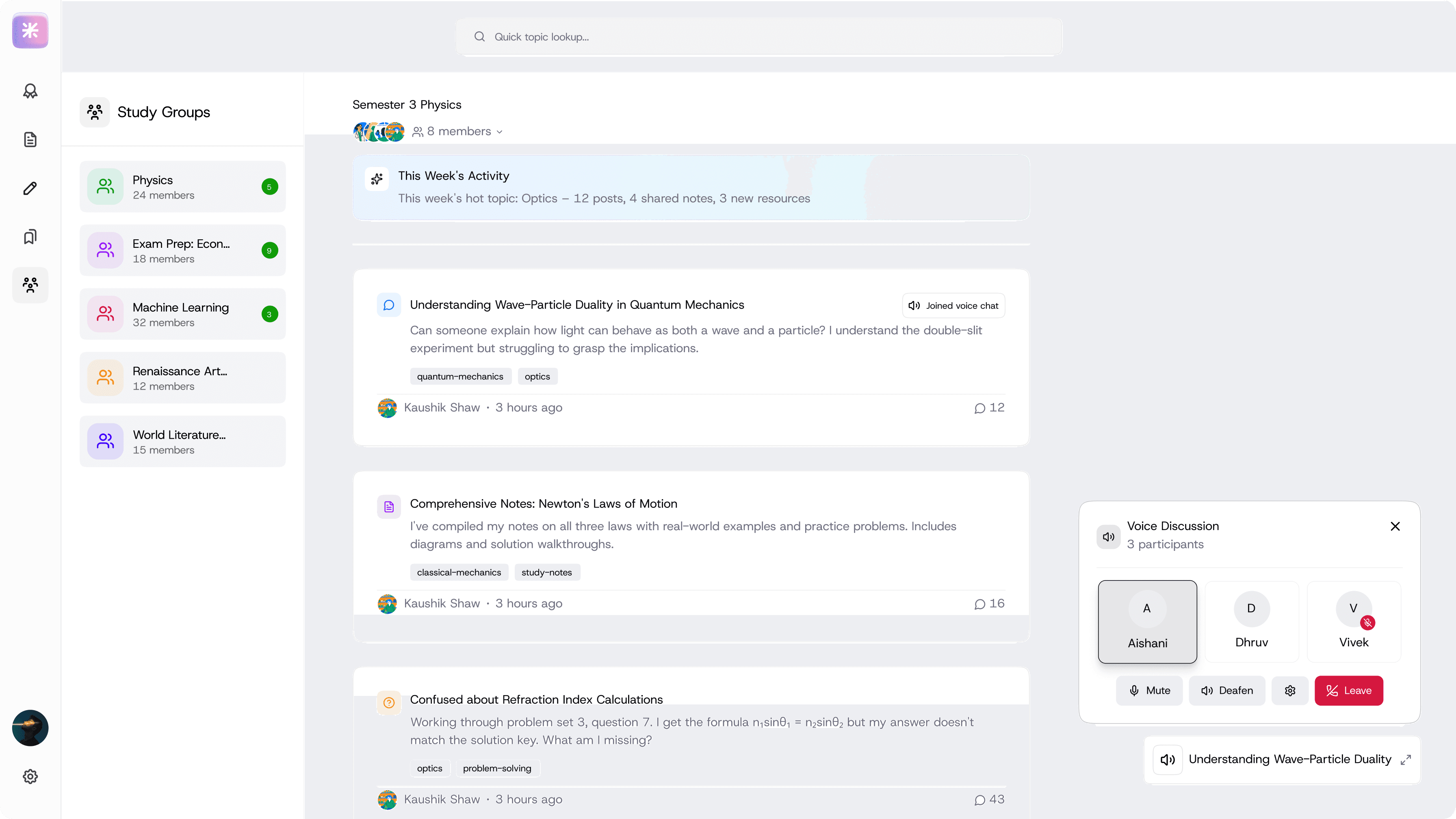
Collaboration & Study Groups
Connection layer enabling contextual academic collaboration
Screen Intent
Enable contextual academic collaboration, students can discuss, share, and study together in real time.
Primary User Goals
• Ask doubts
• Learn from peers
• Get quick clarification when stuck
Key Design Decisions
1. Topic-linked discussions
Posts are tied to subjects and topics. Prevents noise and keeps relevance high.
2. Voice discussion as escalation, not default
Voice is optional and contextual. Used for complex doubts that text can't solve.
Why: Balances depth with scalability and avoids turning the platform into a social app.
3. Activity highlights at the top
Shows what's currently relevant in the group. Encourages participation without overwhelming users.
Designing a learning system around how students actually study
FlowstateOverview
Students today use multiple tools to manage lectures, notes, resources, and revision. Despite having access to advanced note-taking and AI tools, many still struggle during exams, not because they lack content, but because they can't retrieve the right information at the right time.
This project explores how a learning platform can better support exam preparation and knowledge recall for university students.
Let’s talk design, ideas, or anything in between
Problem
As the broader theme was productivity, we narrowed the scope to:
Note-taking, learning, and AI-assisted study workflows for university students
This space felt promising because:
Students increasingly rely on digital tools
AI is widely used for understanding concepts
Existing tools still fail during high-pressure exam contexts
Let’s talk design, ideas, or anything in between
Scattered, hard-to-find materials
Time-consuming digitization
Stressful exam preparation
Research & Insights
We conducted informal interviews with students from multiple academic branches, focusing on:
How they take notes
How they revise before exams
How they use AI tools while studying
Research & Insights
We conducted informal interviews with students from multiple academic branches, focusing on:
How they take notes
How they revise before exams
How they use AI tools while studying
Feature Strategy
Features were selected using the DVF lens, ensuring each one:
Rather than isolated features, the focus was on creating a connected system aligned with how students naturally learn.
1. Notes exist, but can’t be found
2. Memory-based shortcuts are common
3. AI explains concepts, but outputs disappear
Short on time?
Jump straight to the final product and key features.
Reflection / Smart Revision Dashboard
Primary entry answering: “What should I focus on right now?”
Exam Readiness Check
Prioritized Revision
Action-Focused Library
Thematic Clustering
Ideas were explored through real student scenarios to ground features in authentic learning contexts.
Real Study Scenarios:
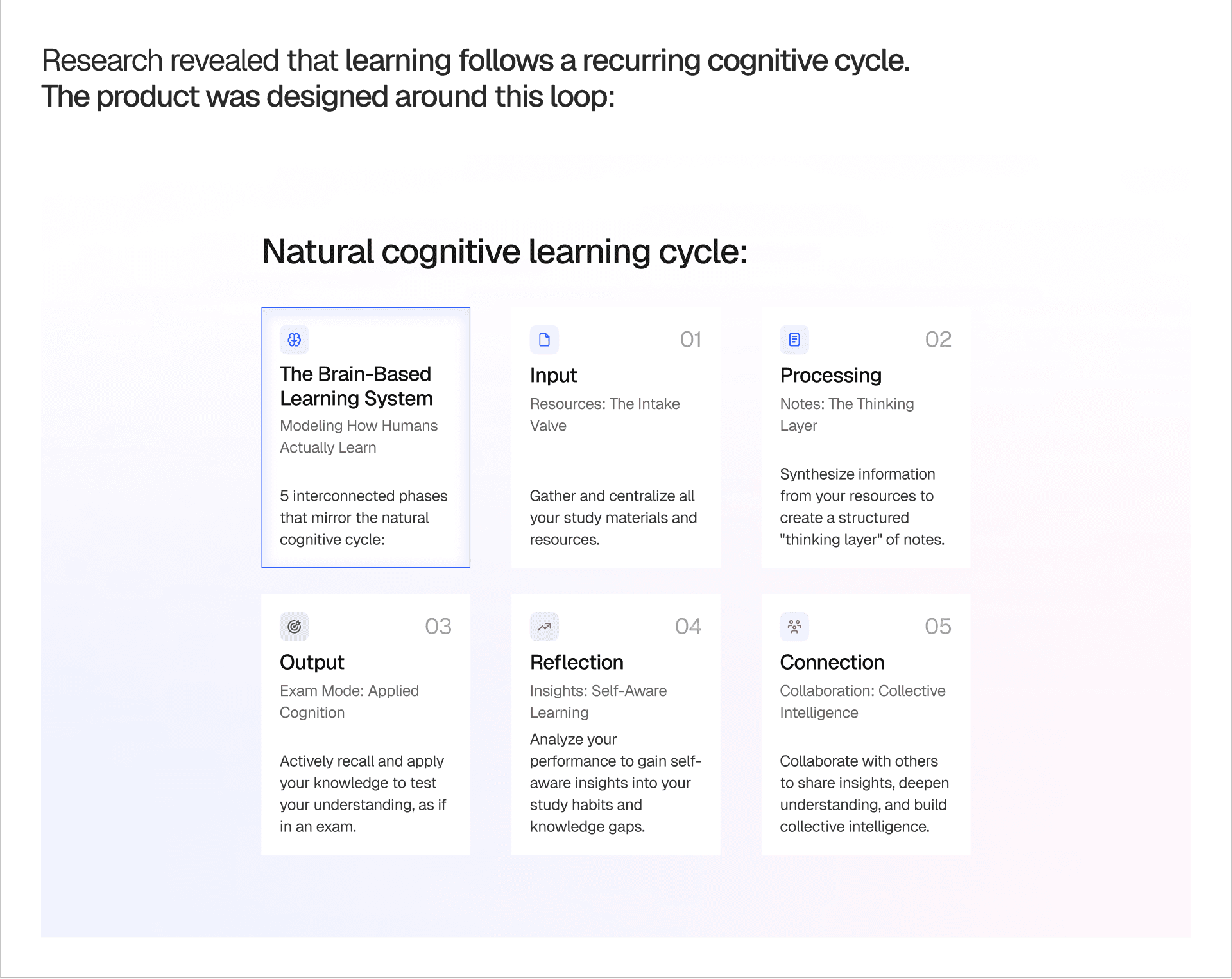
Research revealed that learning follows a recurring cognitive cycle. The product was designed around this loop:
Natural cognitive learning cycle:
The Brain-Based Learning System
Modeling How Humans Actually Learn
5 interconnected phases that mirror the natural cognitive cycle: focusing on how the brain inputs, processes, and outputs knowledge.
Input
Resources: The Intake Valve
Gather and centralize all your study materials and resources into a single source of truth for the project.
Processing
Notes: The Thinking Layer
Synthesize information from your resources to create a structured 'thinking layer' of personalized notes and connections.
Output
Exam Mode: Applied Cognition
Actively recall and apply your knowledge to test your understanding, as if in an actual high-pressure exam environment.
Reflection
Insights: Self-Aware Learning
Analyze your performance to gain self-aware insights into your study habits, performance trends, and knowledge gaps.
Connection
Collaboration: Collective Intelligence
Collaborate with others to share insights, deepen shared understanding, and build a collective intelligence database.
Course & Semester Overview
Provides a clear mental map of the semester.
Subject-First Structure
Balanced Ecosystem
Contextual Guidance
Note-Taking with AI Study Assistant
A focused workspace for capturing and understanding notes.
Side-Panel Assistance
Smart Tooling
Distraction-Free Design
External Deep Dive / Saves
Captures and organizes external learning in one place.
Categorized Organization
Visual Recognition
Seamless Integration
Collaboration & Study Groups
Enables focused academic collaboration.
Threaded Context
High-Bandwidth Support
Intelligent Highlights
Competitive Analysis
The goal of the competitive analysis was to study distinct learning models that students already rely on
We audited 5 popular note-taking and learning platforms to understand:
KEY OBSERVATION:
Most tools optimize heavily for note creation, but poorly support retrieval, revision, and reuse of information.